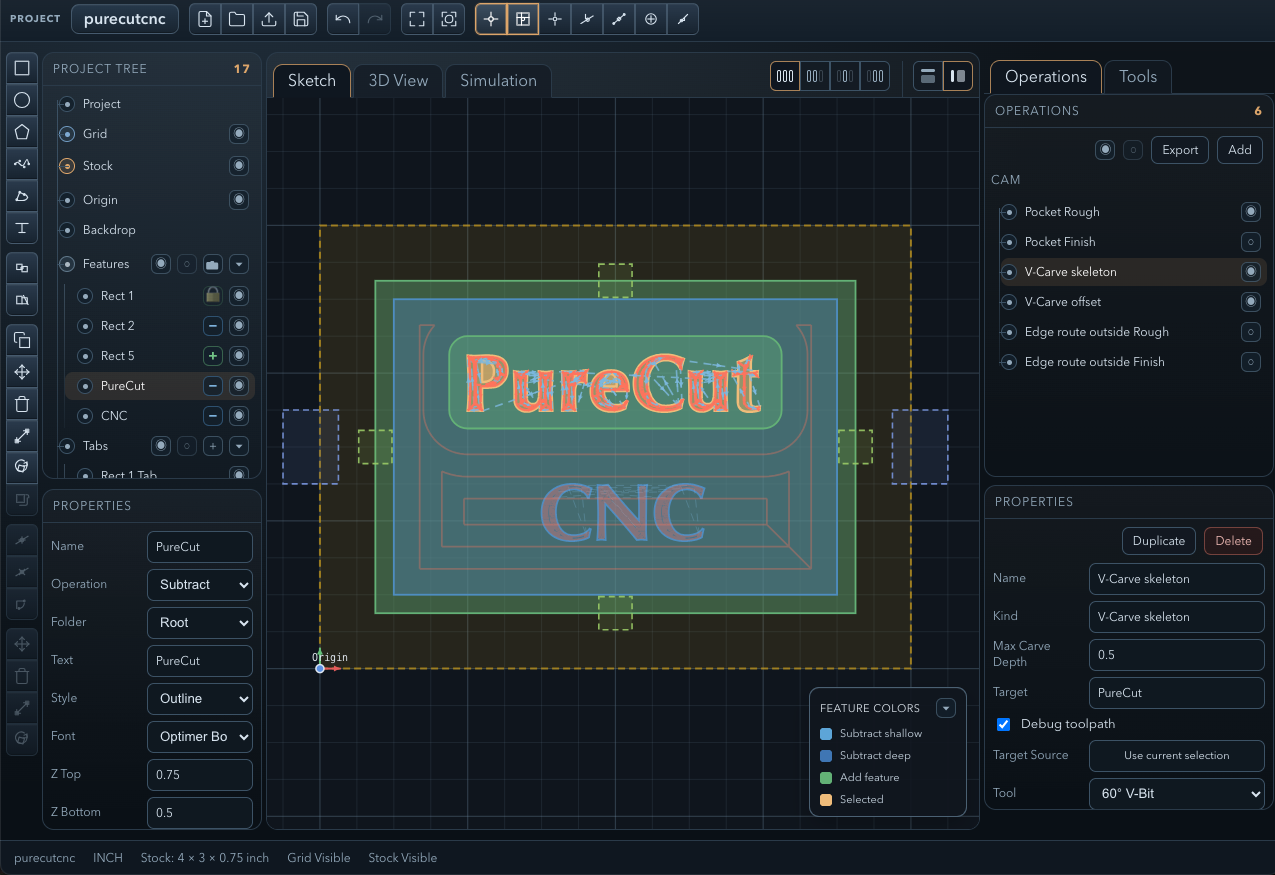
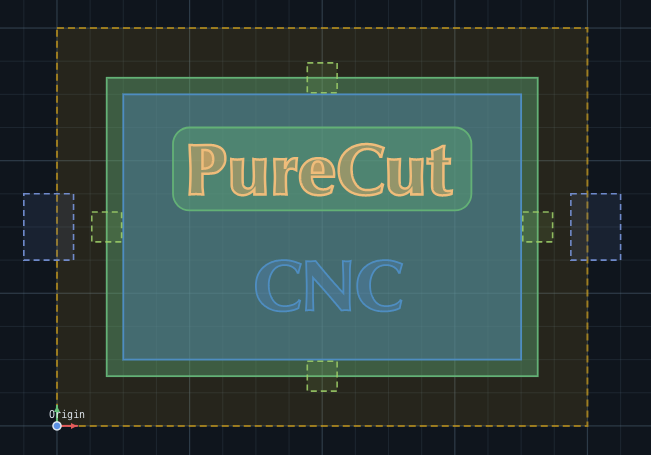
Sketch — canvas & feature tree
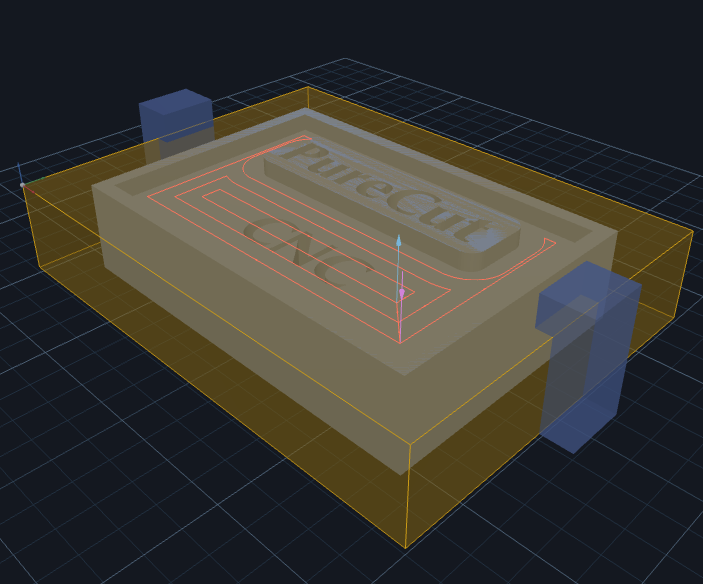
3D View — toolpath preview
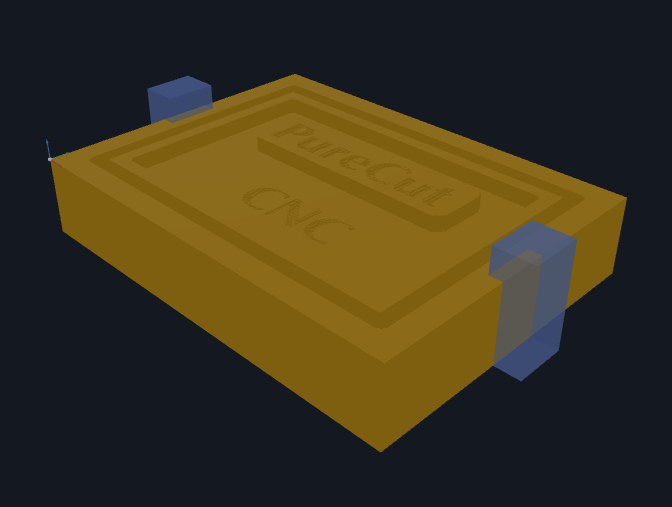
3D View — machined result
PureCut CNC is a 2.5D + 3D CAD/CAM workspace for designing parts, defining machining operations, and verifying toolpaths — before you cut a single chip. It runs on macOS, Windows, and Linux as a native desktop app, or in the browser. No registration, no cloud project storage. New here? Follow the Quick Start guide to go from a blank project to exported G-code in minutes.
The browser app needs a tablet or desktop. On phones, use Desktop Downloads above.
Sketch — canvas & feature tree
3D View — toolpath preview
3D View — machined result
Two operations can remove the same material and treat your machine completely differently. PureCut CNC gives you control over the motion itself — how the tool gets into the work, how hard it is loaded while it's there, and what it leaves in the corners.
Stop plunging straight down. Pocket, Surface Clean, and 3D Surface Rough can ease into each level along a helix or a zig-zag ramp, placed automatically where the tool actually fits and falling back safely when it doesn't. Entries start one clearance above the previous floor instead of from global safe Z, so deep pockets waste far less time in the air.
Choose Offset, Parallel, or Seeded circles for pockets and 3D roughing. Seeded circles clear the largest open areas first, then hand off cleanly to offset rings — a fully covered path that is not tied to one arbitrary spiral centre.
When offset rings can be joined safely, PureCut CNC uses a tangent arc-line-arc link instead of a sharp dogleg. Where that curve does not fit, it keeps the proven straight transition, so the toolpath stays predictable.
Feed reduction can slow full-width slots or follow actual cutter engagement on the emitted path. The planner only lowers feed where the cutter is working harder, and the same scale appears in preview, simulation, export, and the setup booklet.
Rough an edge route with overlapping loops instead of one heavy full-width cut. Radial load and heat drop sharply, small cutters survive material that would otherwise snap them, and every span is entered with a helix — no fragment ever re-enters material with a vertical plunge.
Engrave gains a slot strategy that cuts a channel wider than the cutter — for T-track, inlay, dado, and wire routing. A live channel-width readout tells you exactly how wide the groove will be before you cut it.
Bore a hole larger than any drill you own. A flat endmill spirals down a centre-locked bore with no core left in the middle and a finishing revolution at the bottom. Unsupported tools fall back with a warning rather than doing something surprising.
Dogbone, T-bone, or T-bone on the longest edge — cut as its own stepped pass after the main path so square-cornered parts actually seat in a milled pocket. Excursions end where the cutter touches the corner, not where its centre reaches it, so they take the least material the geometry allows.
Arc output is validated against the controller's own arithmetic on the formatted numbers actually written to the file, and exports are checked by feeding them to GRBL 1.1 and LinuxCNC's real parsers — not to a re-implementation of what those controllers are believed to do.
Full details for every strategy and its parameters are in the Operations section of the user guide.
From geometry to G-code — draw, import, assign operations, preview in 3D, simulate material removal, and export when it looks right.
Rectangles, circles, ellipses, polygons, splines, composite profiles, and text features — all editable directly on the canvas with snapping, measurements, and direct node editing.
Turn selected sketch features into a deliberate grid, radial array, or path-following pattern. Keep or follow the source orientation, taper the scale, then create the result in one undoable step while every copy stays individually editable.
Import 2D source geometry from SVG or DXF with Auto, Paths, and Solid-regions modes and nesting-aware Add/Subtract classification, or bring in 3D models from STL and OBJ files. Multi-body meshes split into one feature per body automatically. A model that came in lying on its side can be re-oriented in place — per-axis rotation, quarter-turn buttons, and a lift control — instead of being deleted and re-imported. Imported geometry can be transformed and machined like hand-drawn features.
Pocket, edge route inside/outside with optional rounded outside corners and corner relief, drill with V-bit countersinking, V-Carve offset, V-Carve medial, surface clean, and engrave for 2.5D parts — plus 3D Surface rough, finish (parallel or waterline), and cleanup for imported models. Rough and finish passes, helix and ramp entries, trochoidal roughing and slotting, helical boring, rest machining, region masks resolved into the operation before generation, tabs, clamps, and per-tool feeds and speeds throughout.
Live CSG evaluation builds a 3D solid from your feature tree. Inspect entry/exit points and toolpath direction before cutting, then export the assembled model as STL (binary or ASCII) with selectable curve quality.
Replay toolpaths against stock in a fully GPU-rendered heightfield simulation. The cut state lives in a texture and is displaced in a vertex shader, with incremental per-frame updates — high-density grids (up to 1500 cells) stay interactive while you scrub. Dock or center the draggable playback bar to keep stacked XYZ coordinates and the live feed percentage where you need them.
Export clean G-code for Grbl, GrblHAL, LinuxCNC, Mach3, and UCCNC. Post-processor support for custom machine configurations. Preview with syntax highlighting before you download — and arcs are validated against the controller's own arithmetic so a GRBL-family machine won't abort mid-job on an arc it can't accept.
Text is an editable feature, not exploded letter geometry. Single-line text with skeleton and outline styles, built-in font selection, and full transform support.
Import an STL or OBJ model and generate 3D rough, finish (parallel or waterline), and targeted cleanup toolpaths directly from it. Roughing shares Offset, Seeded circle, and Parallel clearing with 2.5D pockets; overhang protection, region clipping, surrounding-feature avoidance, gouge protection, and adaptive waterline refinement keep every pass within its declared cutting domain.
Edge route operations automatically generate rest regions so you can follow up with a smaller tool and clean up what the first pass left behind.
Define your endmills, ball mills, V-bits, and drills once. Assign tools to operations and override feeds and speeds per operation as needed. Or start from the bundled library of 26 standard metric and imperial sizes — search it, filter by type and unit, and import several at a time from a dedicated dialog.
Duplicate a feature as a linked reference and they share one geometry definition — edit the shape once and every instance updates. Make any copy unique to break the link when it needs to differ.
Generate involute spur gears from a dedicated creation workflow — set module, tooth count, and pressure angle, and the result is an editable feature you can machine like any other profile.
Add sketch-only reference features — layout guides and helper geometry that stay out of the solid model and never generate toolpaths, so you can build accurate drawings without affecting the cut.
Print the 2D design with CAD-style paper, scale, and margin controls, or export the design as SVG for documentation and downstream vector tools.
Save a machine once and it's there in every project — a persistent My Machines list separate from the single definition each project carries. Edit, duplicate, import, and export definitions in-app with a focused form, a raw-JSON escape hatch, and live validation. A project you share stays exportable on a machine the recipient has never seen.
No installation, no registration, and no cloud-stored project data. Open the app in a modern desktop browser when a quick session is faster than a download — or use one of the native desktop builds.
Tablet shell layout activates automatically on touch devices with a vertical tool rail, drawer-based panels, snap popover, and pinch / two-finger pan / long-press gestures. Constraint creation, dimension entry, and feature placement all run from canvas workflow panels designed for touch.
Native desktop apps for Windows, macOS, and Linux, alongside the browser version. Same project files everywhere — work offline and keep everything local. Grab the latest from the Downloads page.
Full UI localization with built-in English, German, French, Spanish, and Simplified Chinese translations. Switch languages anytime — it never touches your project, undo history, or saved .camj data. Build or import your own language pack with the in-app Language Manager.
Choose Dark, Light, or Follow-System appearance, or design your own with the Theme Manager's guided editor. Canvas colors, the 3D viewport, simulation, and print output all follow the same theme tokens, so a custom theme is consistent everywhere.
An always-on linear-move optimizer collapses redundant collinear moves on every export. Turn on export-stage arc fitting per operation to replace approximated circles with true G2/G3 arcs where the machine supports it, then open the Exported motion inspector to overlay the generated, optimized, and exported paths — with move counts and a tolerance check — before you cut.
A focused set of 2.5D operations — including drilling where it matters — each with rough and finish variants, configurable tooling, selectable cutting strategies, and toolpath preview.
A linear workflow that mirrors how machinists think — geometry first, operations second, verify before you cut.
Set your stock dimensions, material, and profile boundary. Any shape — rectangular plate or irregular casting.
Draw geometry directly on canvas, import SVG, DXF, STL or OBJ, pull in folders from another .camj project, or trace from a backdrop image. 2D imports become editable sketch features; 3D meshes become Model features for 3D operations.
Reorder features in the feature tree. The CSG evaluation order determines what material gets removed or added — get it right visually before moving on.
Select geometry, pick an operation type, configure tool, stepdown, and stepover — then choose how it cuts: contour or trochoidal, plunge or helix entry, and whether the corners get relieved. Repeat for each operation.
Preview in 3D. Run the simulation and watch material come off. Check tabs, islands, and carving behavior match expectations.
Choose your machine controller, preview the G-code output, and download the .nc file when it looks right.
Switch between views as your work progresses. All three stay in sync with the same project state.
Primary drawing surface. Edit geometry, inspect 2D toolpath projections, check snapping and feature ordering.
CSG-evaluated solid derived from your feature tree. Inspect toolpaths spatially — entry/exit points, path direction, depth layers.
GPU-rendered heightfield replay. Scrub through the toolpath sequence — with a live XYZ readout — to catch problems before they hit the spoilboard.
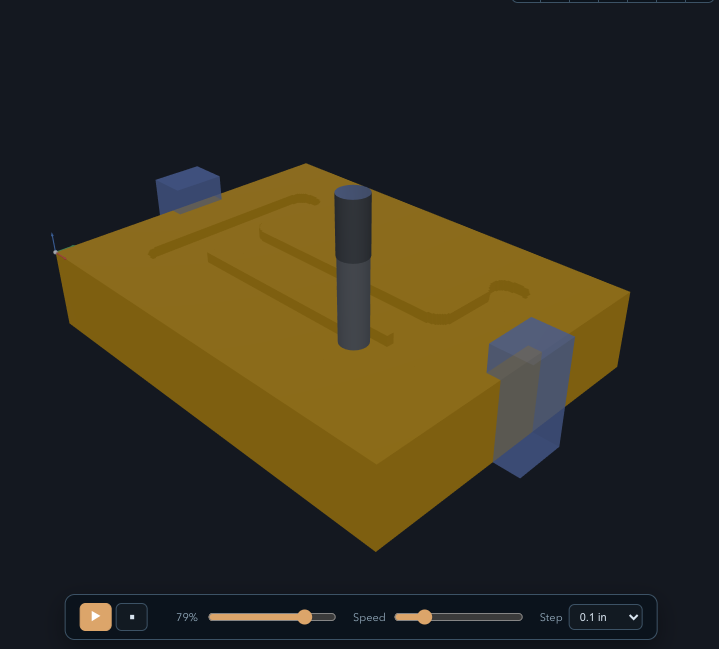
Playback makes the simulation view useful for more than a final beauty shot. Scrub through the cut order to catch rapid moves, drilling sequence, tab behavior, and material removal issues before you export G-code.
No account. No remote project storage. Download a native desktop build for macOS, Windows, or Linux — or open the browser version for a quick start.
The browser app needs a tablet or desktop. On phones, use Desktop Downloads above.
PureCut CNC is in active development and your input shapes what gets built next. If something isn't working, feels off, or you have a feature you'd love to see — open an issue on GitHub. All feedback is welcome.
Open an Issue on GitHub