Machines
Every project has a selected machine. Its post-processor determines the G-code dialect and which machine-specific capabilities—such as canned drilling cycles—are available.
Before you start
Section titled “Before you start”- Confirm the controller and machine you will actually use.
- Read Working safely before exporting a program for a real machine.
Select a machine
Section titled “Select a machine”-
Select the Project node in the feature tree.
-
Choose the machine in the Machine property. Its badge identifies whether it is a built-in definition, a project copy, or needs attention.
-
Generate and inspect the toolpaths again, then export a test program for the selected machine.
Library
Section titled “Library”Open Manage machines to browse built-in definitions, including Generic, and My Machines. A project stores a copy of its selected definition, so a project remains reproducible when your personal library changes. Import a definition into the manager when it is not already available.
My Machines
Section titled “My Machines”Personal definitions live in My Machines. Share a definition by exporting it from the manager and import it into another library; older projects keep their own selected project copy.
Badges
Section titled “Badges”The machine badge distinguishes a built-in definition, a personal definition, and a project copy, and it draws attention to definitions that need review.
Updates
Section titled “Updates”When a definition used by a project has changed, the app shows an update notice. Compare the project copy with the available definition before accepting an update; a changed post-processor can change emitted G-code.
Editor
Section titled “Editor”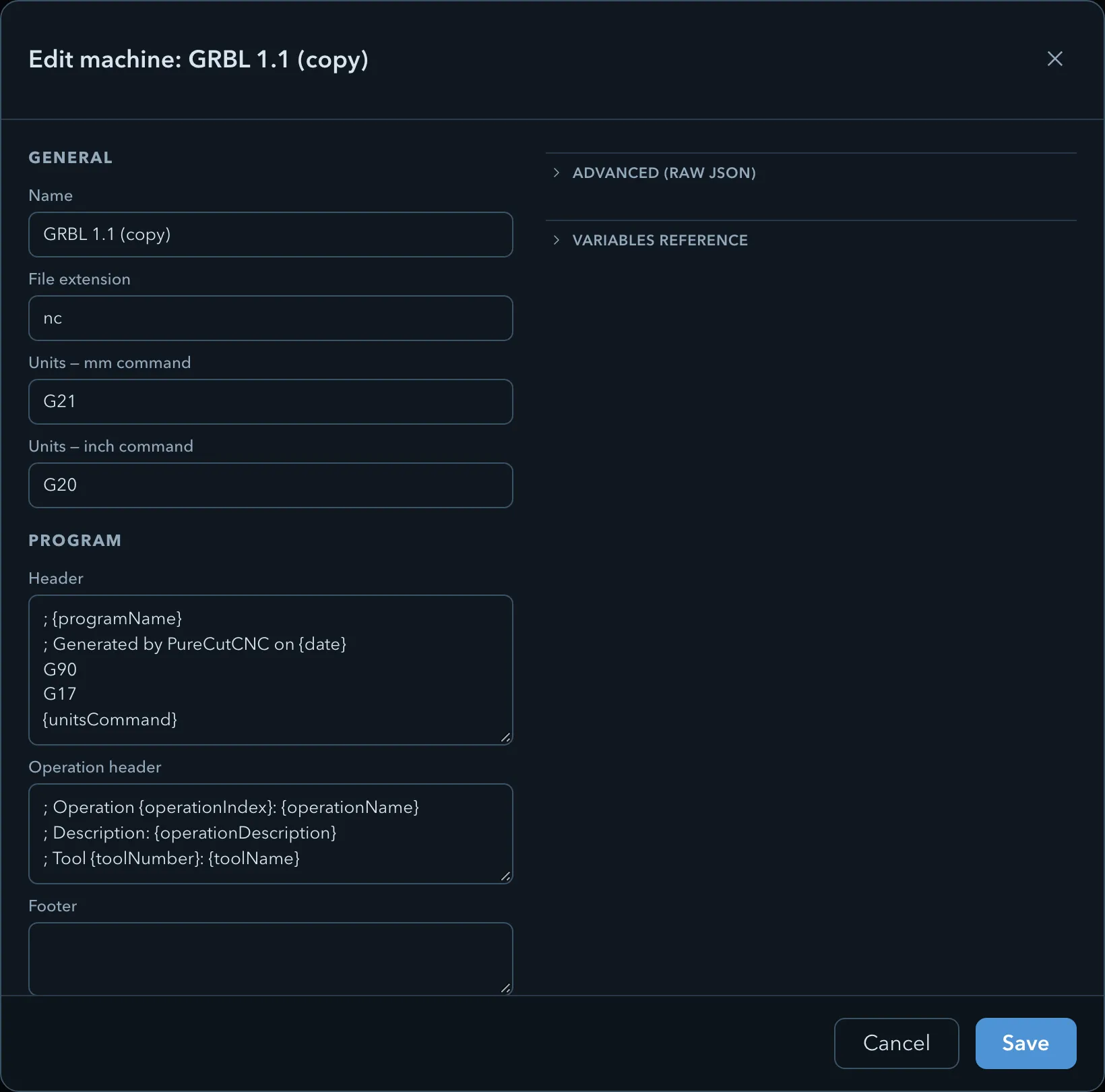
The editor groups a definition into General, Program, Tool change, and Coolant. It also provides raw JSON, a variables reference, and validation feedback. Use the editor only when you understand the controller requirements for every changed field.
Related pages
Section titled “Related pages”- Clamps and clearances: the project clearances used by generated motion.
- G-code export: choose operations and inspect the program before export.