Seeded-circle clearing
How it works
Section titled “How it works”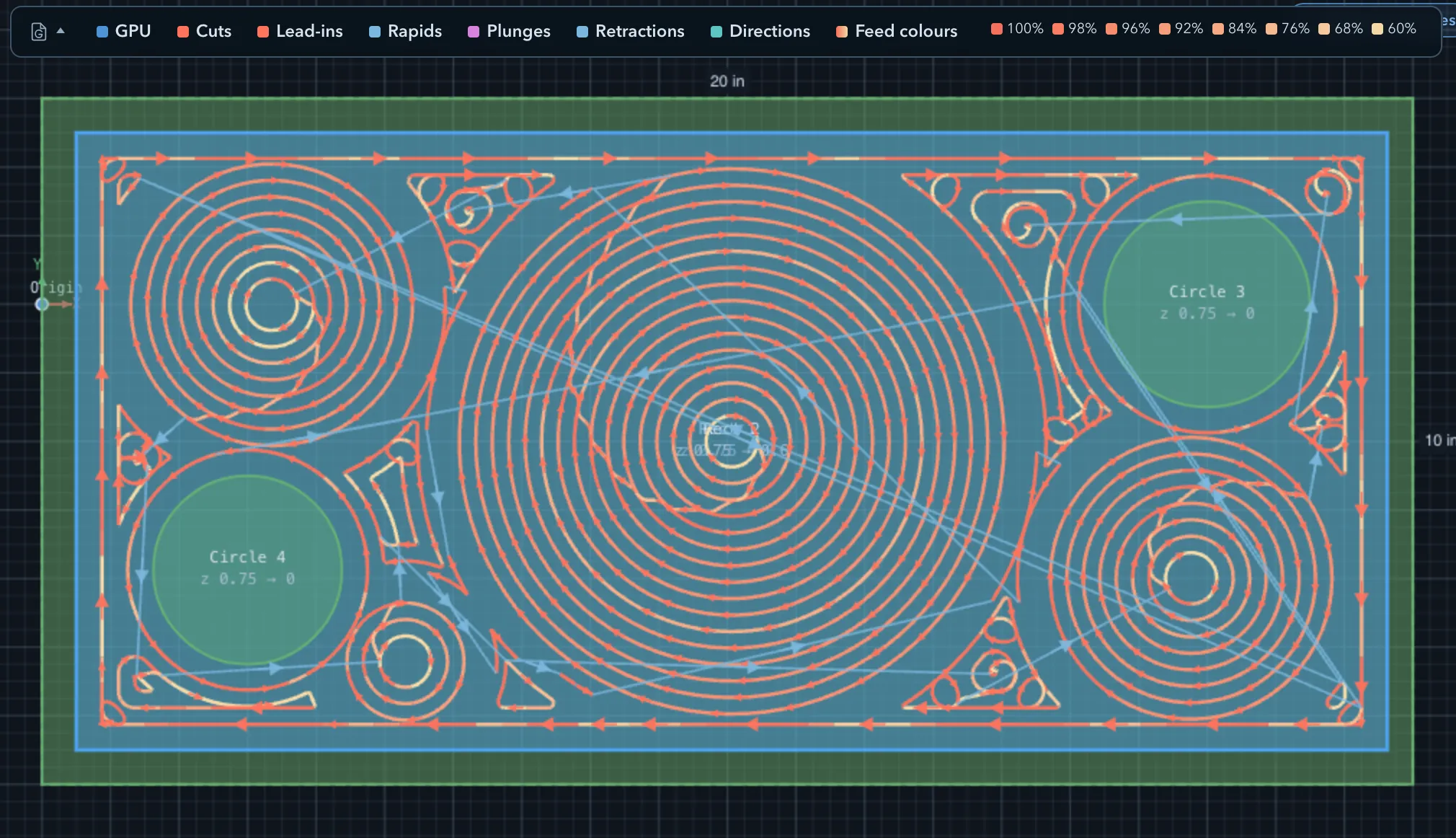
Seeded circles finds circular regions that fit inside the selected clearing area, grows a stack of circles from each seed, then uses offset rings for material that remains. It can make the first passes in open rounded areas more direct than starting every area at its wall.
Where it applies
Section titled “Where it applies”| Operation | Where to find it |
|---|---|
| Strategy > Pattern | |
| Surface clean | Strategy > Pattern |
| 3D surface rough | Strategy > Pattern |
| 3D surface cleanup | Strategy > Pattern (floor cleanup) |
Settings
Section titled “Settings”| Setting | Description |
|---|---|
| Pattern | Select Seeded circles to enable the seed-first clearing plan. |
| Stepover Ratio | Sets the lateral gap between the circles and the offset rings that complete coverage. |
| Round link junctions | Shapes eligible transitions between the remaining offset rings; see Linking clearing passes. |
Limitations
Section titled “Limitations”Separate seed stacks travel at safe Z before the next one begins. Preview the path where several open areas or islands are involved, especially before machining a part with clamps or other obstacles.
Related pages
Section titled “Related pages”- Clearing patterns: compare the offset and parallel alternatives.
- Linking clearing passes: smooth eligible offset-ring transitions after seed passes.
- Toolpath preview: inspect the generated coverage and travel moves.