Exported motion inspector
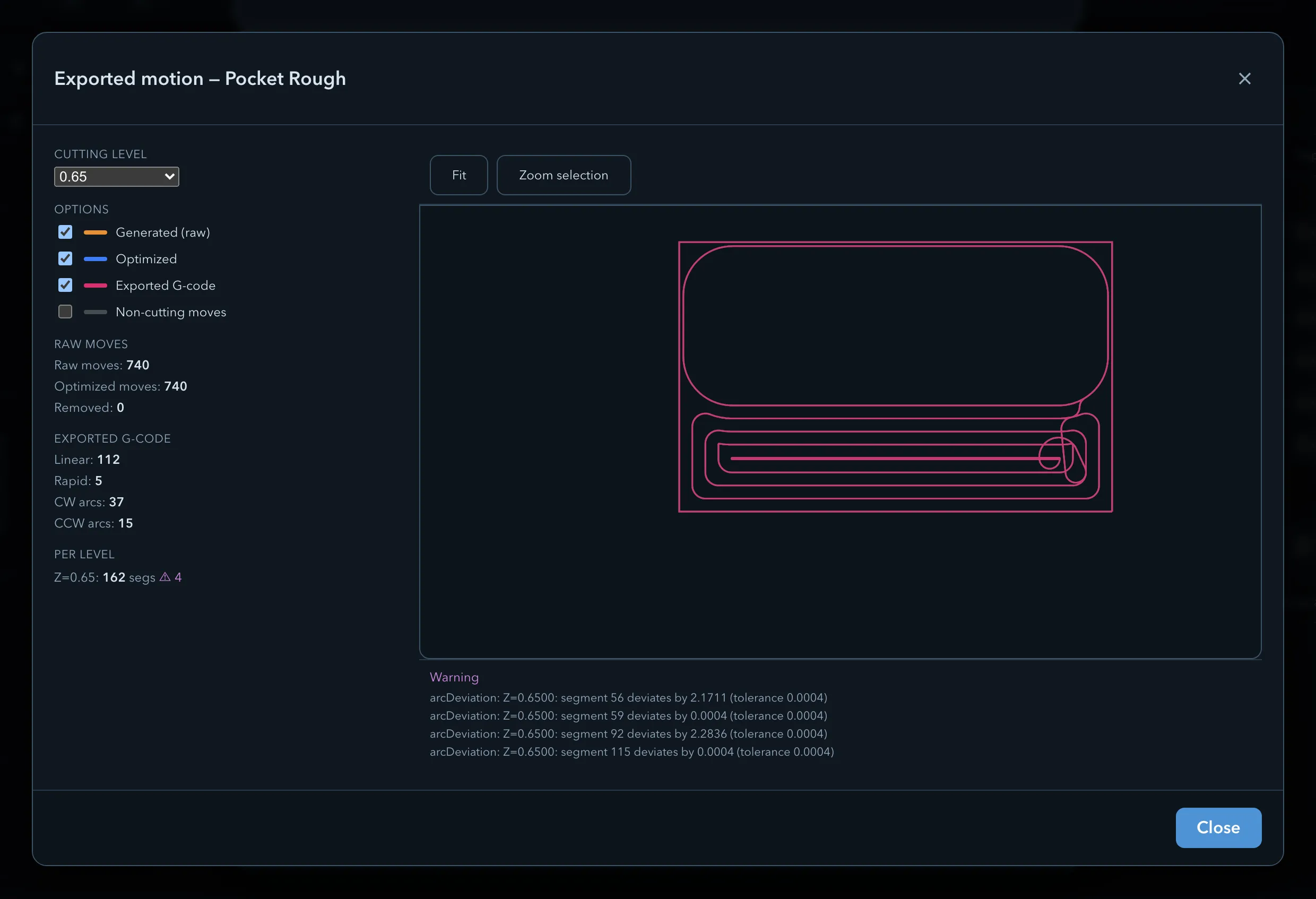
The exported motion inspector is an internal development and debugging tool. It compares the path generated by PureCutCNC with the optimized moves and the motion parsed from the prepared G-code. It helps diagnose differences in the generation and export pipeline; use the normal Simulation and Exporting G-code workflow to prepare work for machining.
Opening
Section titled “Opening”Open Export G-code, select exactly one eligible planar operation, and choose Inspect exported motion. The button does not depend on the development-only Debug toolpath checkbox. It appears only after preparation succeeds for one operation whose motion can be represented as a flat plan trace; drilling, operations with no cuts, and continuously varying-Z motion are not eligible.
Layers
Section titled “Layers”Use the layer checkboxes to compare Generated (raw), Optimized, and Exported G-code motion. You can also show Non-cutting moves, choose a Cutting level, and choose All cutting levels. Pan, zoom, select a zoom region, or use Fit to inspect a location.
Counts
Section titled “Counts”The inspector reports Raw moves, Optimized moves, and Removed, plus emitted Linear, Rapid, CW arcs, and CCW arcs counts. These numbers help explain the effect of the linear optimizer and the postprocessor; they are not a cycle-time prediction.
Verification
Section titled “Verification”When the inspector reports Verified — exported motion matches the generated path within tolerance., the comparison succeeded within its geometric tolerance. A warning identifies a difference or condition that needs investigation before you rely on the program.
Arc fitting
Section titled “Arc fitting”Arc fitting is an operation output setting. It can emit validated G2/G3 arcs when the active machine supports the required arc format. Review the generated program and the controller’s documented capabilities before using it in production.
Arc validation
Section titled “Arc validation”The export path validates arc output against the selected machine definition. If an arc cannot be represented safely for that definition, follow the export message rather than assuming every controller interprets the same syntax.
Optimizer
Section titled “Optimizer”PureCutCNC applies the linear-move optimizer automatically. The inspector makes its effect visible by showing raw and optimized move counts alongside the exported motion.
Related pages
Section titled “Related pages”- Exporting G-code: select the operation and prepare the program.
- Machine definition reference: learn how a machine definition controls output.