Choosing an operation
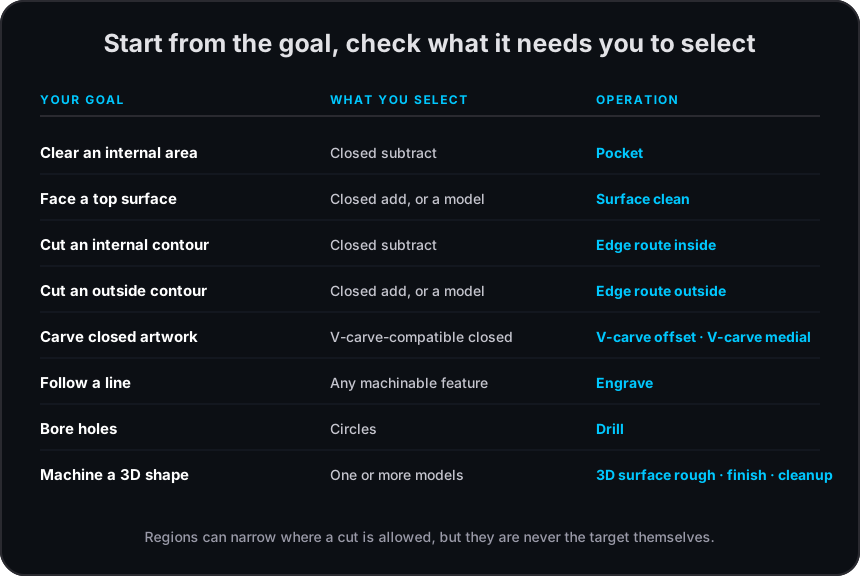
Choose an operation from the feature’s role and geometry, then confirm its compatible target, tool, pass, and strategy. Regions can restrict a compatible cut but are not machining targets on their own. 3D surface operations accept one or more imported models; a STEP model counts as a model.
Requirements
Section titled “Requirements”| Goal | Feature target | Operation |
|---|---|---|
| Clear a closed internal area | Closed subtract | |
| Face a closed top or model area | Closed add or model | Surface clean |
| Cut an internal contour | Closed subtract | Edge route inside |
| Cut an outside contour | Closed add or model | Edge route outside |
| Carve closed artwork or a closed line | V-carve-compatible closed geometry | V-carve offset or V-carve medial |
| Follow open or closed artwork | Machinable feature, with optional closed regions | Engrave |
| Bore circular holes | Circles, with optional closed regions | Drill |
Common operation parametersSettings shared by compatible operations.
PocketClear a closed subtract area.
Surface cleanFace a closed add or model area.
Edge route insideCut a closed subtract contour.
Edge route outsideCut a closed add or model contour.
V-carve offsetCarve compatible closed geometry.
V-carve medialCarve medial-axis channels.
EngraveFollow a feature line directly or as a slot.
DrillMachine circular holes with supported cycles.