Simulation
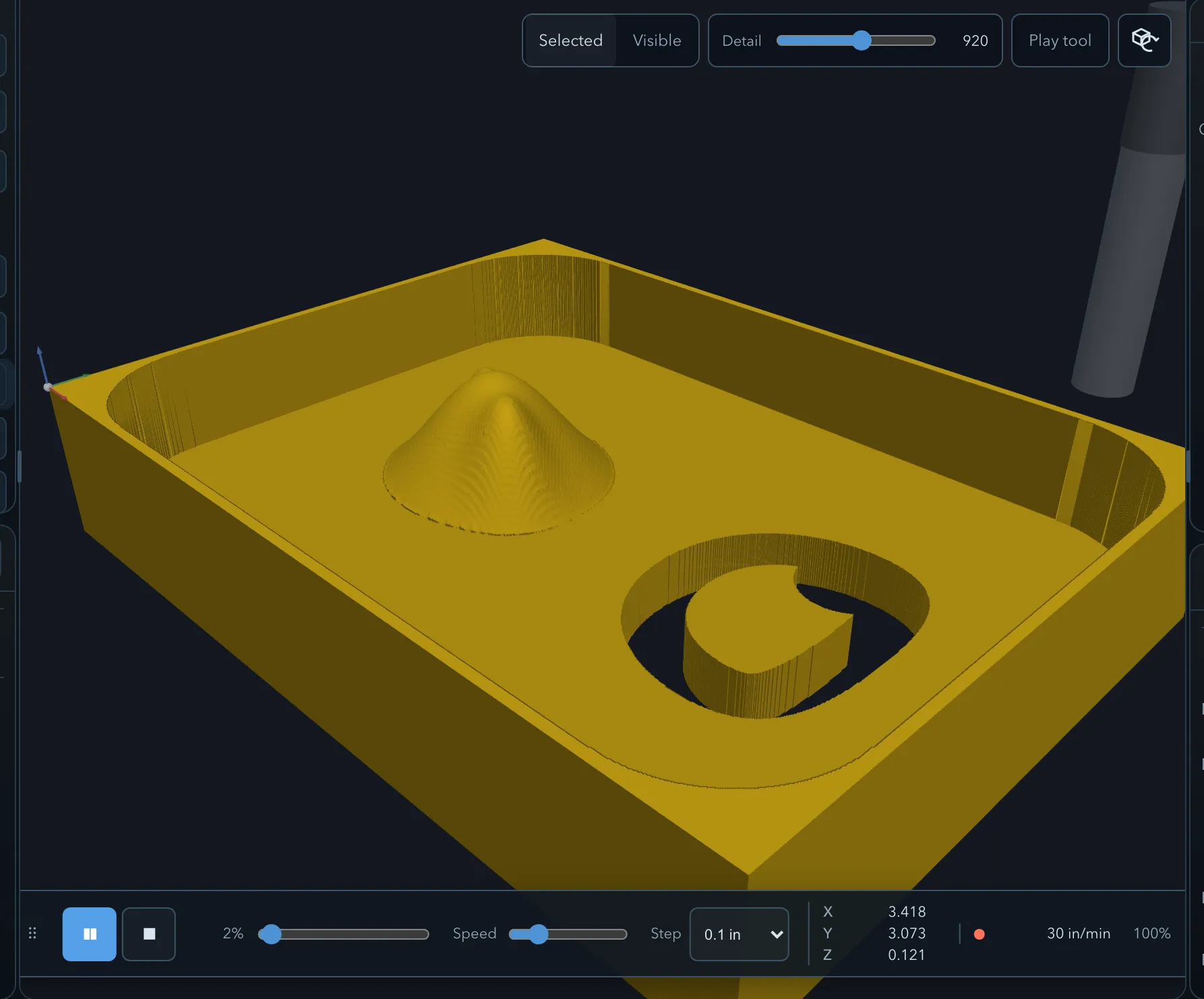
Simulation removes material from a virtual stock using generated toolpaths. It helps expose an unexpected order, depth, or remaining material before you create G-code.
Before you start
Section titled “Before you start”- Generate the operations you want to inspect and resolve their errors.
- Check the stock, origin, tool, depths, and workholding first; simulation uses the project and generated toolpaths, not a machine controller.
Run a simulation
Section titled “Run a simulation”-
Open the Sim tab.
-
Choose whether to simulate the selected operation set or the visible operations, then choose a suitable detail level.
-
Use Play to replay the path, or Step to advance it deliberately. Use the progress control to inspect another point in the run.
-
Use Stop to pause playback. Use Reset to return the simulated stock to its initial state.
Controls
Section titled “Controls”The playback bar provides Play, Step, speed, progress, Stop, and Reset controls. The current move, position, and progress readouts help you locate a questionable part of the motion. You can dock or undock the view as needed while inspecting it.
Detail
Section titled “Detail”Higher detail can make smaller changes to the simulated surface easier to see, but takes more memory and rendering time. Start with a practical setting, then increase detail only where you need a closer check.
Checklist
Section titled “Checklist”Check that material is removed where you expect, that the cutter stays clear of clamps and fixtures, and that entry, retract, and travel moves make sense. Compare the result with the toolpath preview and the operation settings.
Limits
Section titled “Limits”Simulation is an aid, not a safety guarantee. It cannot confirm your physical machine setup, controller interpretation, actual tool dimensions, material behavior, or clamp placement. Verify the exported program and dry-run safely before cutting.
Related pages
Section titled “Related pages”- Toolpath preview: inspect individual motion types and feeds.
- Exporting G-code: prepare the controller program after verification.