Interface languages
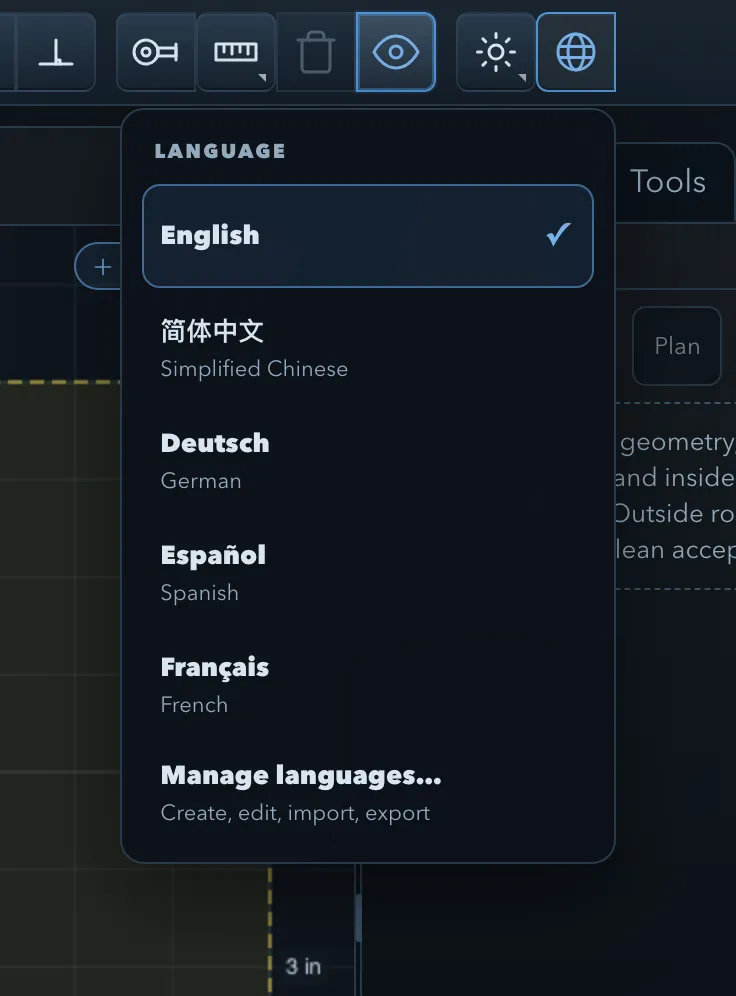
The Language control in the top toolbar sets the language of the interface. It shows the active language, for example Language: English. The first time PureCutCNC starts, it picks a built-in language that matches your browser or system, and English otherwise.
Built-in languages
Section titled “Built-in languages”| Language | Shown in the menu as |
|---|---|
| English | English |
| Simplified Chinese | 简体中文 |
| German | Deutsch |
| Spanish | Español |
| French | Français |
Click Language and choose a language. The interface changes straight away. Custom language packs you have made are listed under Custom languages, and Manage languages… opens the language manager.
What changes
Section titled “What changes”Switching the language changes only the text PureCutCNC shows. It does not change your project, the undo history, or the files you save, so a project opens the same in every language.
The language applies to the panels, dialogs, canvas labels, warnings, setup booklets, and printed designs. It does not apply to:
- names you give to features, operations, tools, and machines;
- G-code and its comments, which stay the same in every language;
- number formats in exported files;
- the desktop app’s native menus and update messages, which are in English.
Some settings and labels still show English text when a translation is missing: a language pack falls back to its base language, and then to English, for any string it does not translate.
Language manager
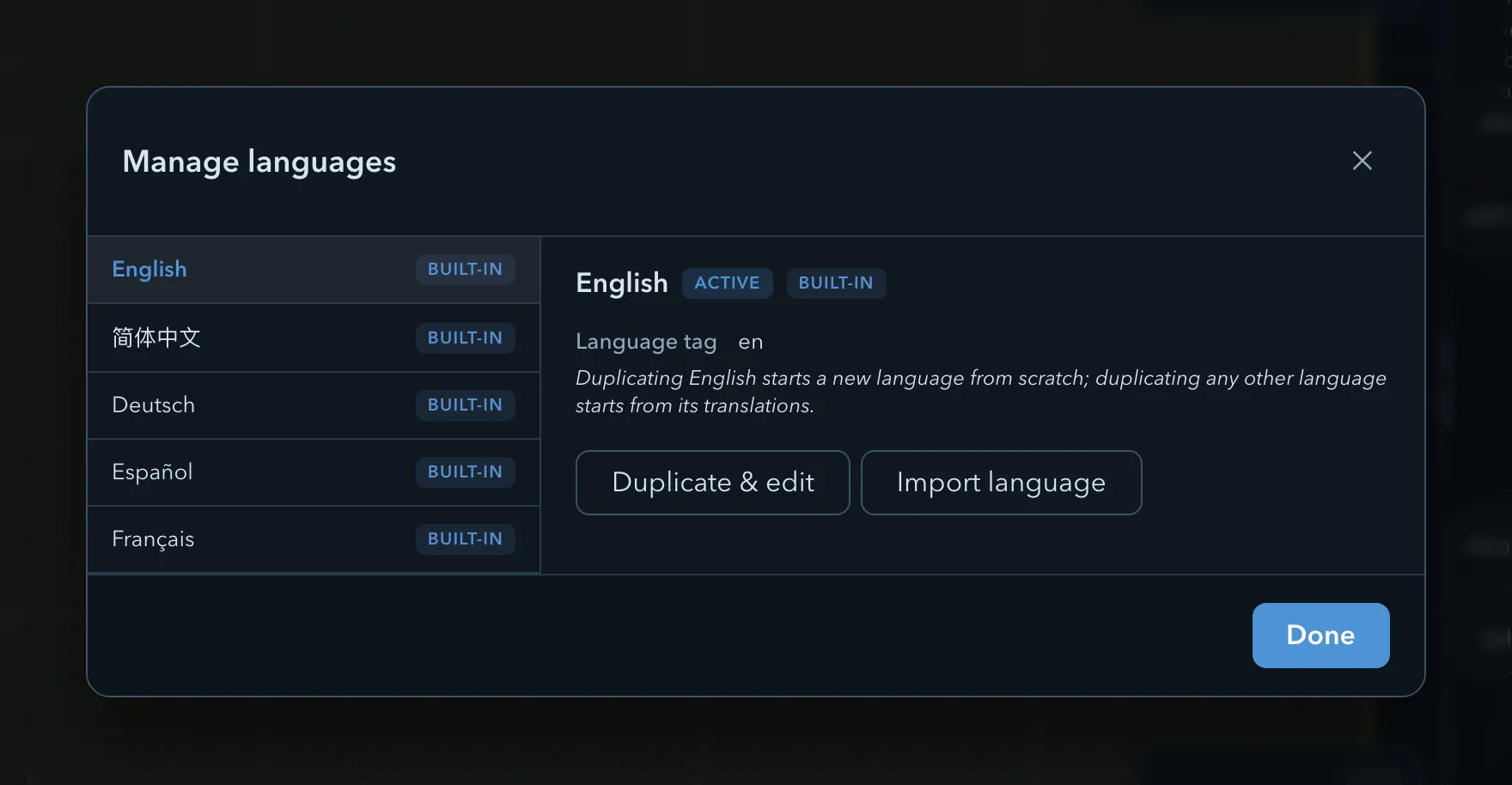
Section titled “Language manager”Manage languages… lists the built-in languages and your custom language packs. Badges mark each language Built-in or Custom, and the one in use Active. Select a language to see its Language tag, the language a custom pack is Based on, and how much of it is translated.
| Action | Available for | What it does |
|---|---|---|
| Use this language | Any language that is not active | Switches to the language. |
| Duplicate & edit | Any language | Starts a custom pack and opens it in the editor. Duplicating English starts a new language from scratch; duplicating any other language starts from its translations. |
| Edit | Custom packs | Opens the language editor. |
| Rename | Custom packs | Changes the Language name. |
| Import language | Always | Loads a language pack file exported from PureCutCNC. |
| Export language | Custom packs | Saves the pack as a file you can share. |
| Delete language | Custom packs | Removes the pack. |
Built-in languages are read-only. If an imported pack has placeholder mismatches, the manager says how many; open the pack in the editor to fix them.
Language editor
Section titled “Language editor”Edit opens the language editor for a custom pack.
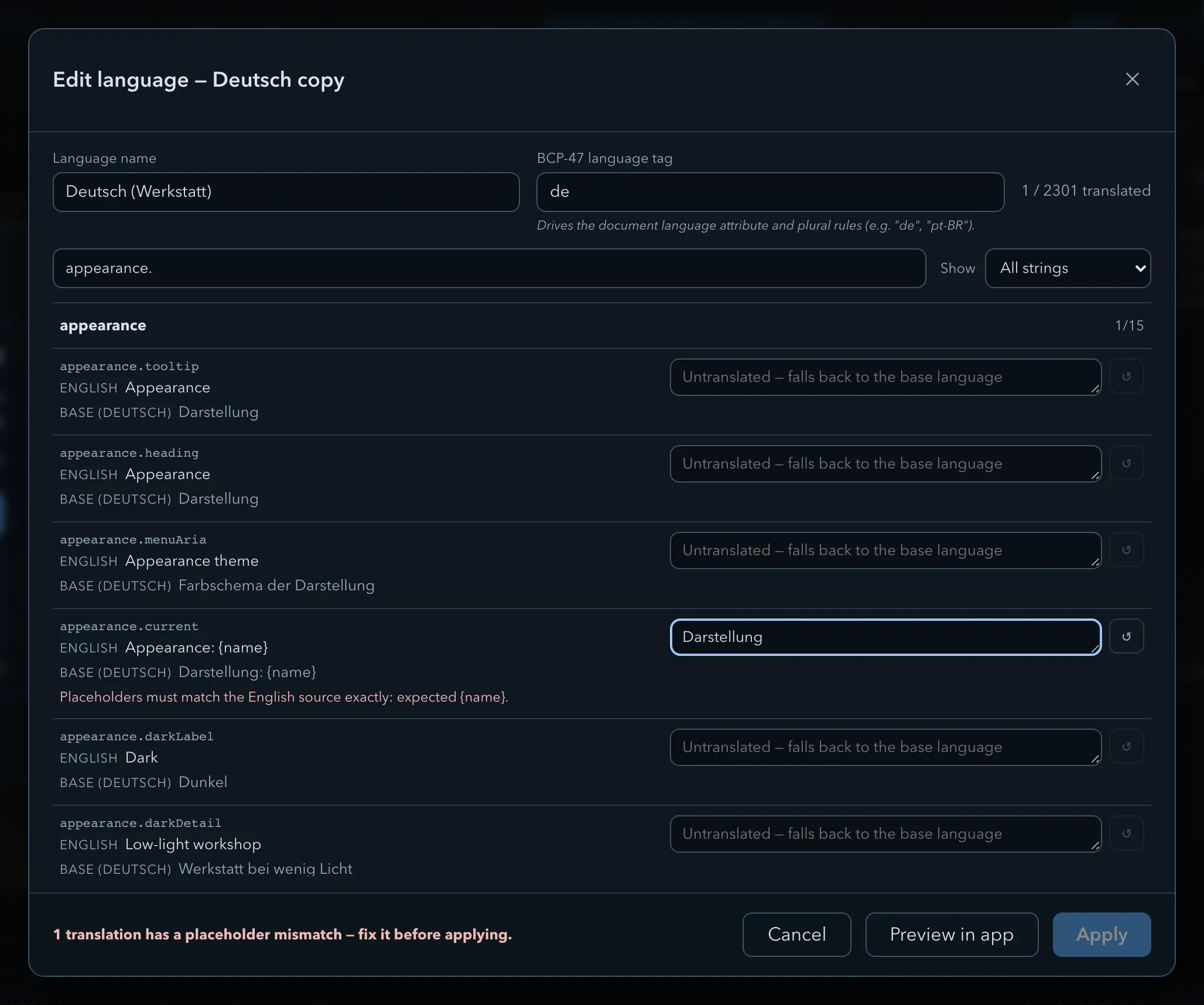
| Field or control | Description |
|---|---|
| Language name | The name shown in the Language menu. |
| BCP-47 language tag | A standard language code such as de or pt-BR. It sets the page language and the plural rules used for counts. |
| Progress | How many of the app’s strings the pack translates, for example 0 / 2294 translated for a new pack. The total grows as the app gains text. |
| Search | Filters the list by string key or text (Search keys and text…). |
| Show | All strings, Untranslated only, or Edited only. |
The strings are grouped into sections by area of the app, each with its own translated count. Each row shows the string’s key, the English source text, and the base language’s text when the pack is based on another language. Type the translation into the row’s field; an empty field falls back to the base language. Reset clears one translation.
Text in curly braces, such as {count} or {name}, is a placeholder that the app fills in. A
translation must contain exactly the same placeholders as the English text. Apply is not
available while any translation has a placeholder mismatch, and the editor says which ones do.
- Preview in app applies your translations to the whole interface while the editor stays open. Cancel then restores the saved version.
- Apply saves the pack.
- Cancel discards the changes.
Language packs are stored in this browser or desktop app. To use one on another device, export it and import it there.
Related pages
Section titled “Related pages”- Themes and appearance: the appearance control, which works the same way.
- Glossary: the terms the English interface uses.
- Setup booklets: booklets are written in the interface language.