3D surface finish
3D surface finish follows the final shape of one or more imported models. Several selected models are finished together as one surface. Use it after a roughing pass has removed most of the stock. The Pattern changes how the cutter covers the surface; it does not change the model or make a roughing operation into a finish pass.
Requirements
Section titled “Requirements”| Requirement | Value |
|---|---|
| Target features | One or more 3D model features; regions can limit the area |
| Tool | Flat or ball endmill; Scallop height needs a ball endmill |
| Passes | Finish only; rough first when there is substantial stock to remove |
Parameters
Section titled “Parameters”Shared settings are documented in Common operation parameters. The controls most useful when choosing a finish are:
| Parameter | What it changes |
|---|---|
| Pattern | Chooses Parallel, Waterline, or Constant scallop. |
| Scallop height | With a ball endmill, sets a target cusp height and derives pass spacing. It takes priority over spacing overrides. See Scallop height. |
| Stepover ratio | Sets pass spacing as a fraction of tool diameter when no scallop height is configured. With a ball endmill, Parallel shows it only when Scallop height is 0; Waterline uses its own refinement controls. |
| Filter by surface slope | Limits the operation to a band of surface slopes. See Slope filter. |
| Stepdown | Always sets Parallel’s Z level spacing. For Waterline, it appears and sets base level spacing only when Scallop height is 0. |
| Adaptive spacing | With Waterline adaptive refinement, sets spacing between refined rings when Scallop height is 0. |
Strategies
Section titled “Strategies”Start with the shape you need to finish, then compare the preview and simulation. These patterns are alternatives within the same operation; for a model with very different shallow and steep areas, use separate finish operations with suitable patterns and slope ranges.
| Pattern | How the cutter travels | A useful first choice when… | Check especially… |
|---|---|---|---|
| Parallel | Sweeps across the model in evenly spaced XY scan lines, rising and falling with its surface. | The area is broad, fairly shallow, or has one useful sweep direction. | Steep sides and fine details; equal XY spacing does not give an equal cusp everywhere. |
| Waterline | Follows contour rings at successive heights, with optional extra rings between them. | Upright walls, steep sculpted sides, and outlines need attention. | Broad flat or shallow areas, which may need another pattern; refinement warnings. |
| Constant scallop | Follows contours spaced across the 3D cutter surface rather than a fixed XY or Z interval. | Slopes change across a sculpted form and you want a more even cusp target. | Very dense paths, generation time, and small areas that the selected tool cannot reach. |
Parallel
Section titled “Parallel”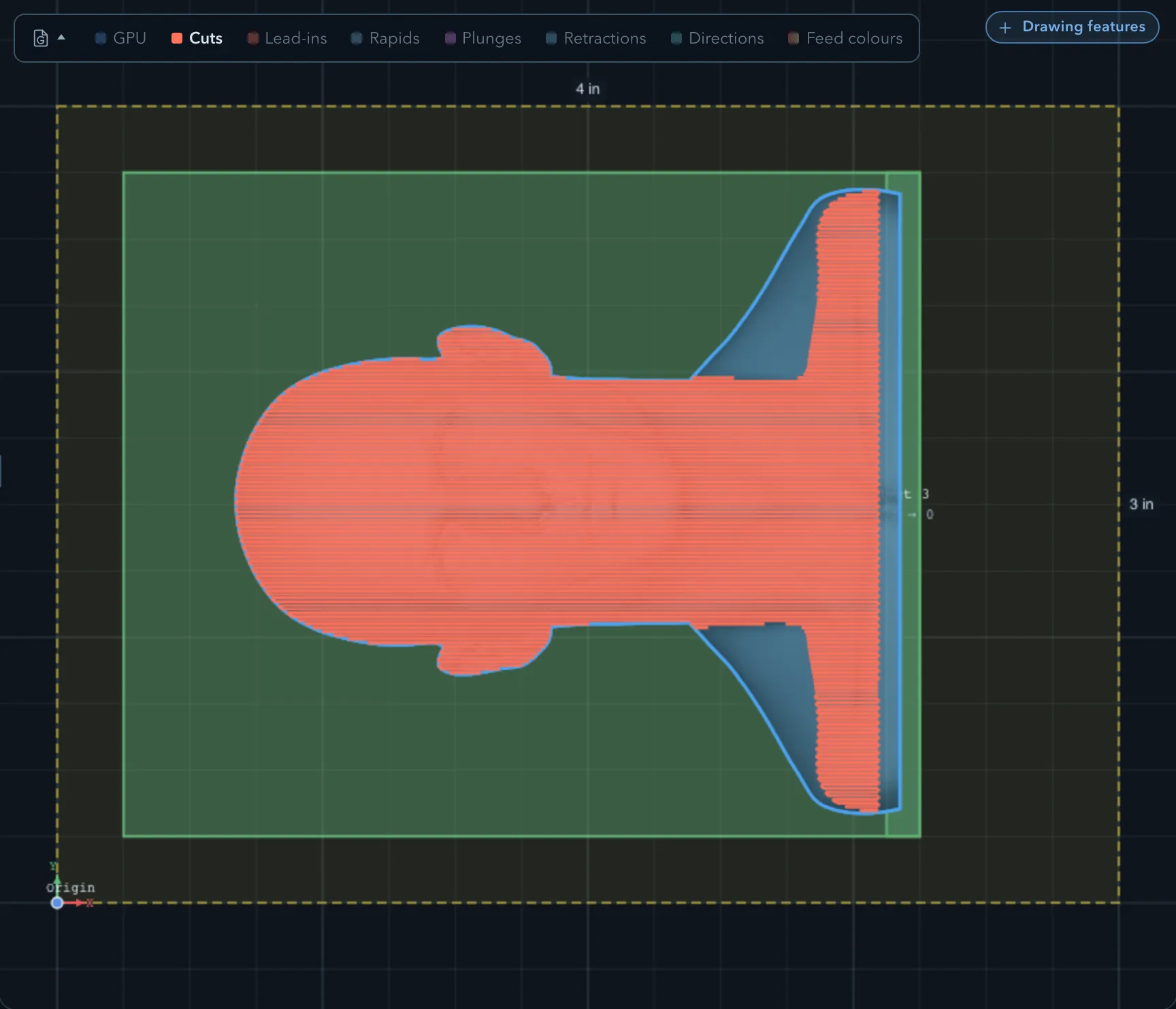
Parallel lays scan lines across the model at the Angle you choose. The cutter follows the surface height along each line. Stepover ratio, or Scallop height with a ball endmill, controls the distance between lines. Try it on broad tops, gentle curves, and surfaces where a single sweep direction gives straightforward coverage. Change the angle if the lines run poorly across a feature, then inspect the preview again. A steep wall can receive fewer useful contacts than a shallow top at the same XY spacing. Stepdown still sets the Z distance between levels, whether or not a scallop height is set.
Waterline
Section titled “Waterline”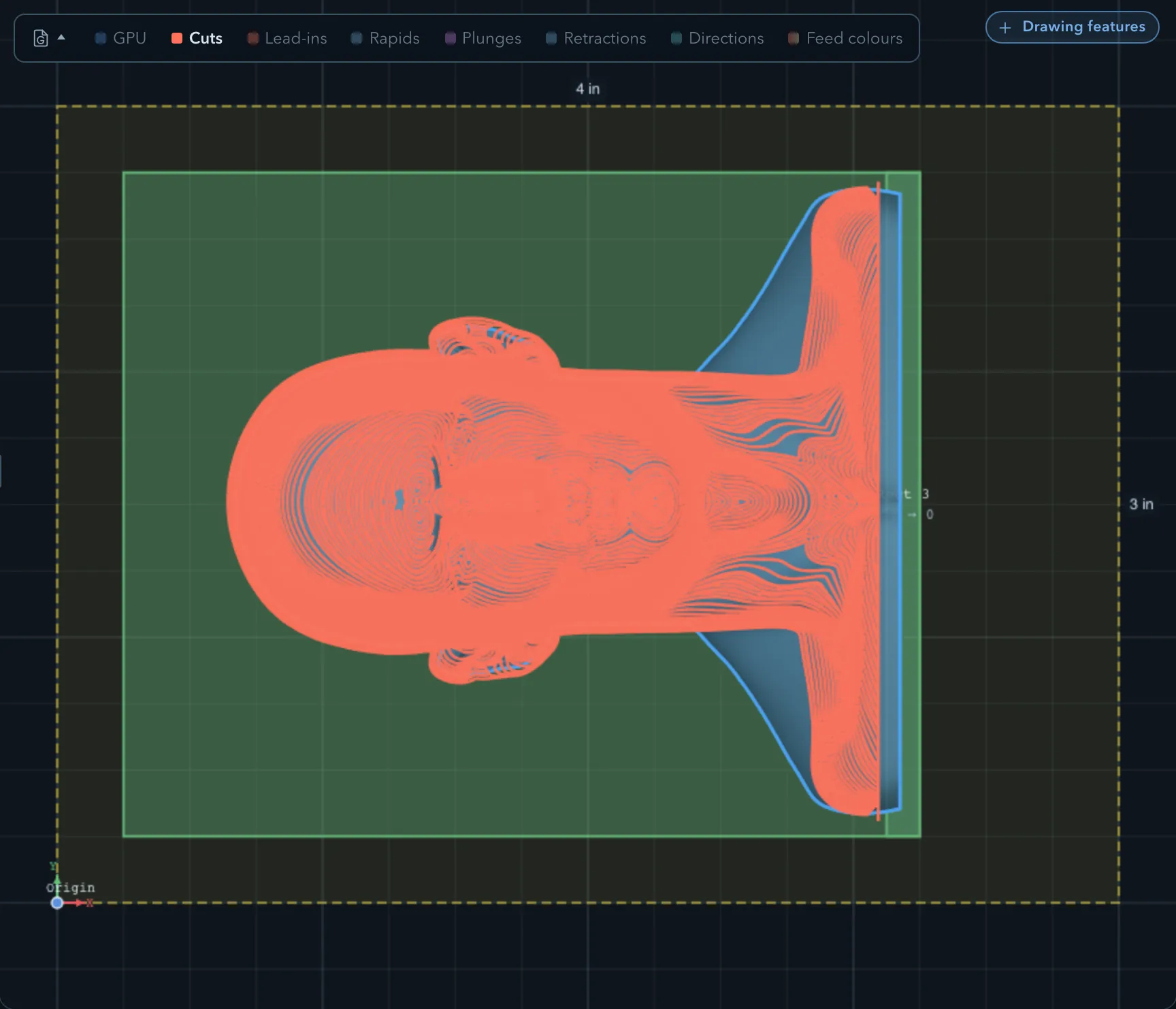
Waterline makes contour rings around the model at successive Z heights. With a ball endmill and a nonzero Scallop height, the height sets both pass spacing and the base Z step, so Stepdown and Adaptive spacing are hidden. Set the height to 0 to use those saved overrides: Stepdown then spaces the base levels, while Adaptive refinement can insert rings between them. Adaptive spacing sets the requested distance between refined rings; if it is 0, the app uses Stepover ratio × tool diameter instead. Max rings / band remains available to limit refinement work. This is a useful choice for steep walls and prominent vertical features. On a broad, nearly horizontal top, compare it with Parallel or Constant scallop rather than assuming the rings have finished the whole area.
Adaptive refinement has a coverage budget. If the app warns that refinement was coarsened or truncated, inspect the remaining bands in preview and simulation. Region-limited Waterline does not add the adaptive rings, so pay particular attention to its coverage.
Constant scallop
Section titled “Constant scallop”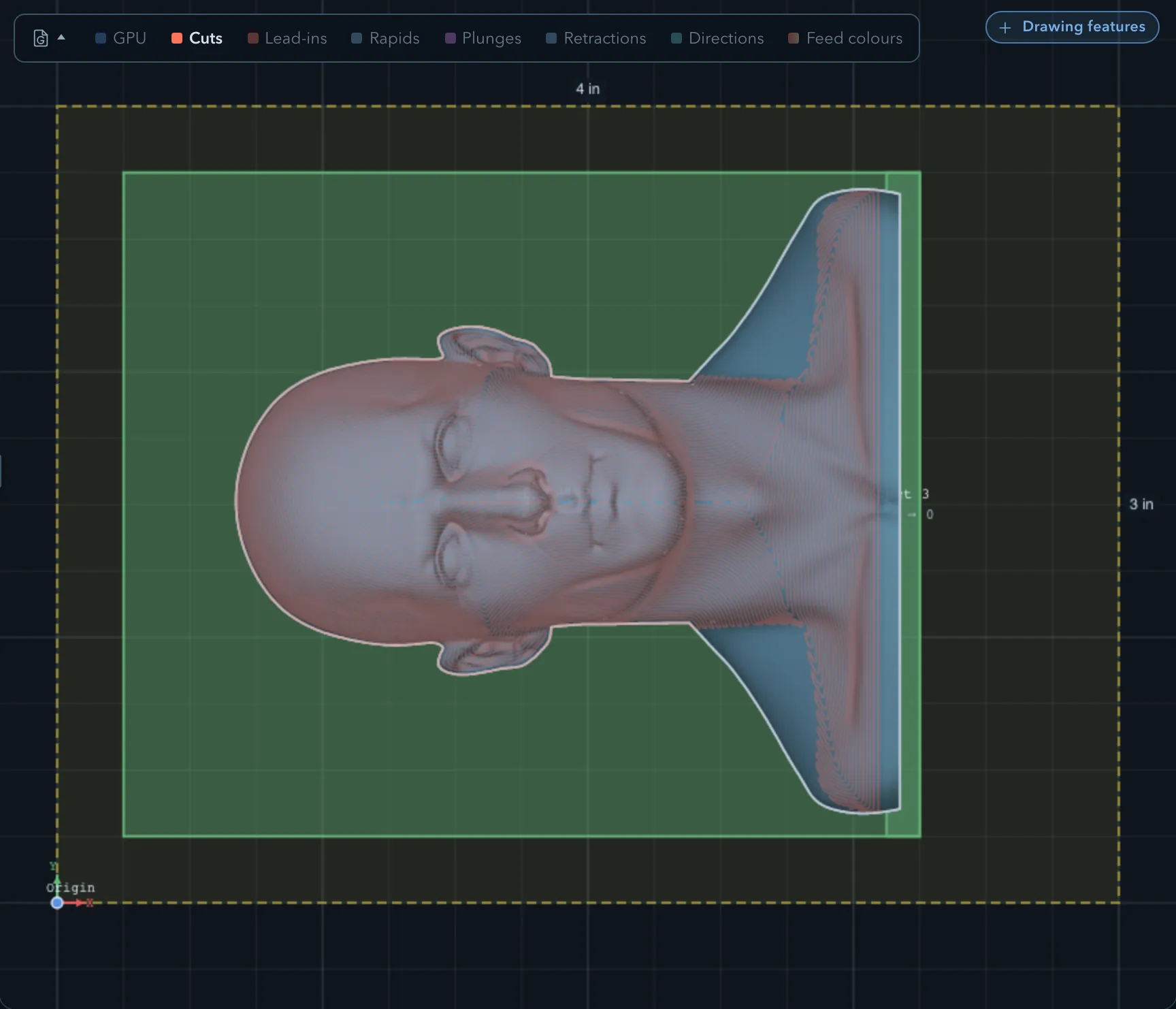
Constant scallop builds contours at successive distances across the cutter’s 3D contact surface, then follows the model height along each contour. With a ball endmill, Scallop height sets the target ridge left between neighbouring passes. Unlike Parallel’s fixed XY spacing or Waterline’s Z levels, the spacing changes across the form. Try it on organic shapes where slope varies, such as the Busto face and neck. A finer target means more, closer paths; inspect the toolpath density and generation warnings before committing to the machining time.
Scallop height
Section titled “Scallop height”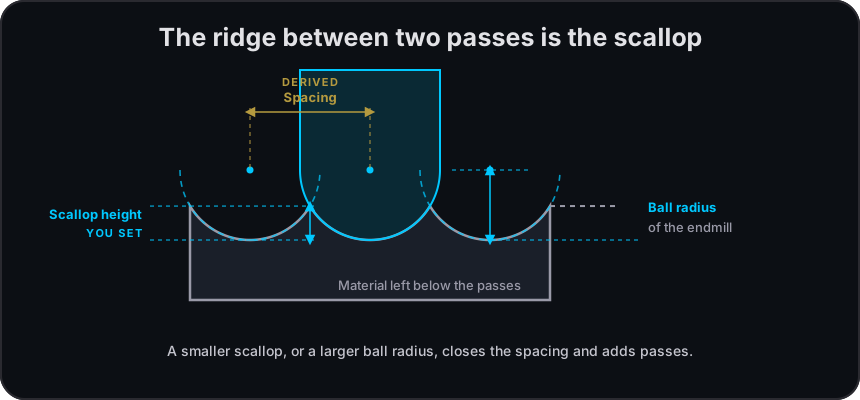
The scallop is the small ridge between adjacent passes of a ball endmill. A smaller Scallop height asks for a finer surface and normally creates more passes. With Parallel and Constant scallop, the app converts that height into pass spacing. With Waterline, it also derives the base vertical step: scallop-based pass spacing × the sine of the slope filter’s minimum angle, or 30° when no slope filter is set. Treat the value as a target: tool shape, reachable geometry, protection, and path limits still affect the result.
For a new ball-endmill finish, the default height comes from the tool’s default stepover. It is stored rounded to four decimal places in inches or three in millimetres, with extra places for at least two significant digits when needed. For example, a calculated 0.0008051866 in default is stored as 0.00081 in. The field shows the stored value exactly, including when switching between Parallel and Waterline; simply visiting the field does not change that value.
For Parallel or Waterline, enter 0 to use the Advanced overrides instead of a scallop target. Parallel then spaces XY passes by Stepover ratio × tool diameter and always uses Stepdown for its Z levels. Waterline uses Stepdown for base levels and Adaptive spacing for refined rings. The Implied cusp notes beside available overrides show the ridge those settings would leave with a ball endmill. Setting a nonzero height again hides the overrides it replaces but keeps their saved values. Constant scallop requires a nonzero height with a ball endmill; flat endmills do not offer this field.
Slope filter
Section titled “Slope filter”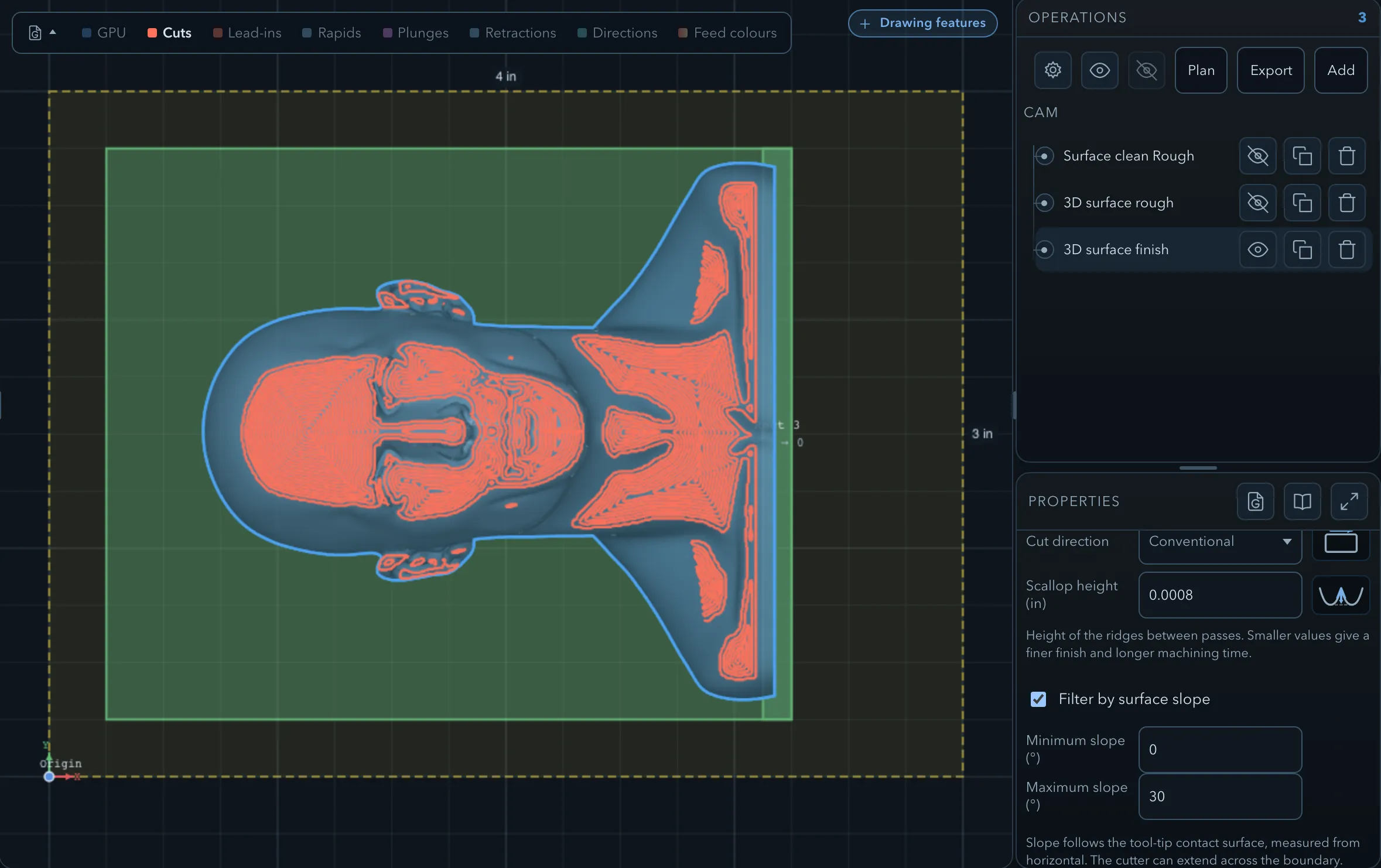
Filter by surface slope keeps only surfaces within the minimum and maximum angle, measured from horizontal: 0° is flat and 90° is vertical. One practical approach is a shallow-surface Parallel pass and a separate steep-surface Waterline pass. Use the preview to check their boundary and any uncut band. Turning the filter on initially selects 0–30°; edit the bounds for the area you intend to finish. The filter deliberately leaves the rest of the model to another operation.
Protection
Section titled “Protection”3D surface finishing respects the selected surface and retained 2.5D material. A neighbouring model that is not targeted remains a keep-out at every depth below its top, including below its bottom. Passes stop about a cutter radius short of its outline rather than following the neighbour’s surface. Regions, clamps, tabs, and nearby features can split or suppress a pass. If a path stops unexpectedly, inspect the operation warnings and the protected geometry before widening the area or changing the pattern.
Limitations
Section titled “Limitations”Waterline’s adaptive rings are subject to a coverage budget and are not generated for a region-limited target. A smaller cusp target or spacing can produce a dense path without making unreachable geometry machinable.
Verifying the result
Section titled “Verifying the result”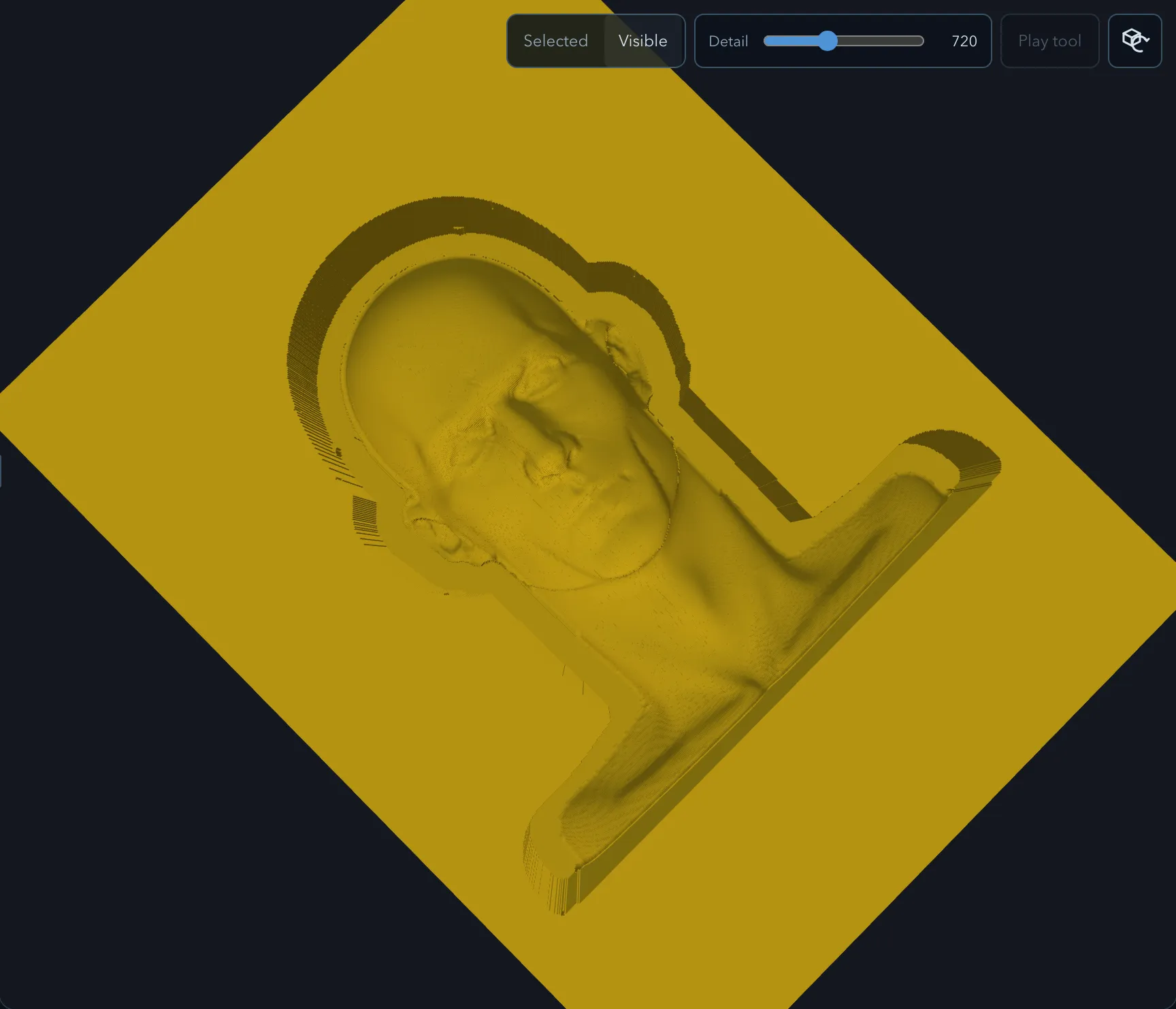
Compare the preview with the final simulation. Look for uncovered shallow tops, steep walls, protected bands, and any place the chosen tool cannot reach. If one pattern leaves an area, consider a second finish operation with a different pattern or slope range, then verify the combined result before exporting G-code.
Related pages
Section titled “Related pages”- 3D surface rough: remove bulk material first.
- 3D surface cleanup: clean eligible retained walls and floors.