Setup booklets
A setup booklet is a PDF summary for one selected operation. It keeps the operation, tool, settings, and its captured preview together for use at the machine.
Before you start
Section titled “Before you start”- Select the operation in the CAM panel and make sure it has a valid toolpath.
- Treat the booklet as setup documentation, not as controller output. You still need to verify the exported G-code and physical setup.
Export a setup booklet
Section titled “Export a setup booklet”-
Select one operation in the CAM panel.
-
Use Export booklet (PDF) in the selected operation’s action row in the CAM panel.
-
Wait for the operation toolpath and snapshot to be captured, then choose where to save the PDF.
While exporting, the booklet button shows a spinner and is disabled. Its tooltip and the status line above the operation’s properties show the current stage:
- Booklet: preparing the toolpath…
- Booklet: drawing the overview picture…
- Booklet: building the PDF…
- Booklet: choose where to save the PDF…
Wait for the save step to finish or cancel before starting another export.
Contents
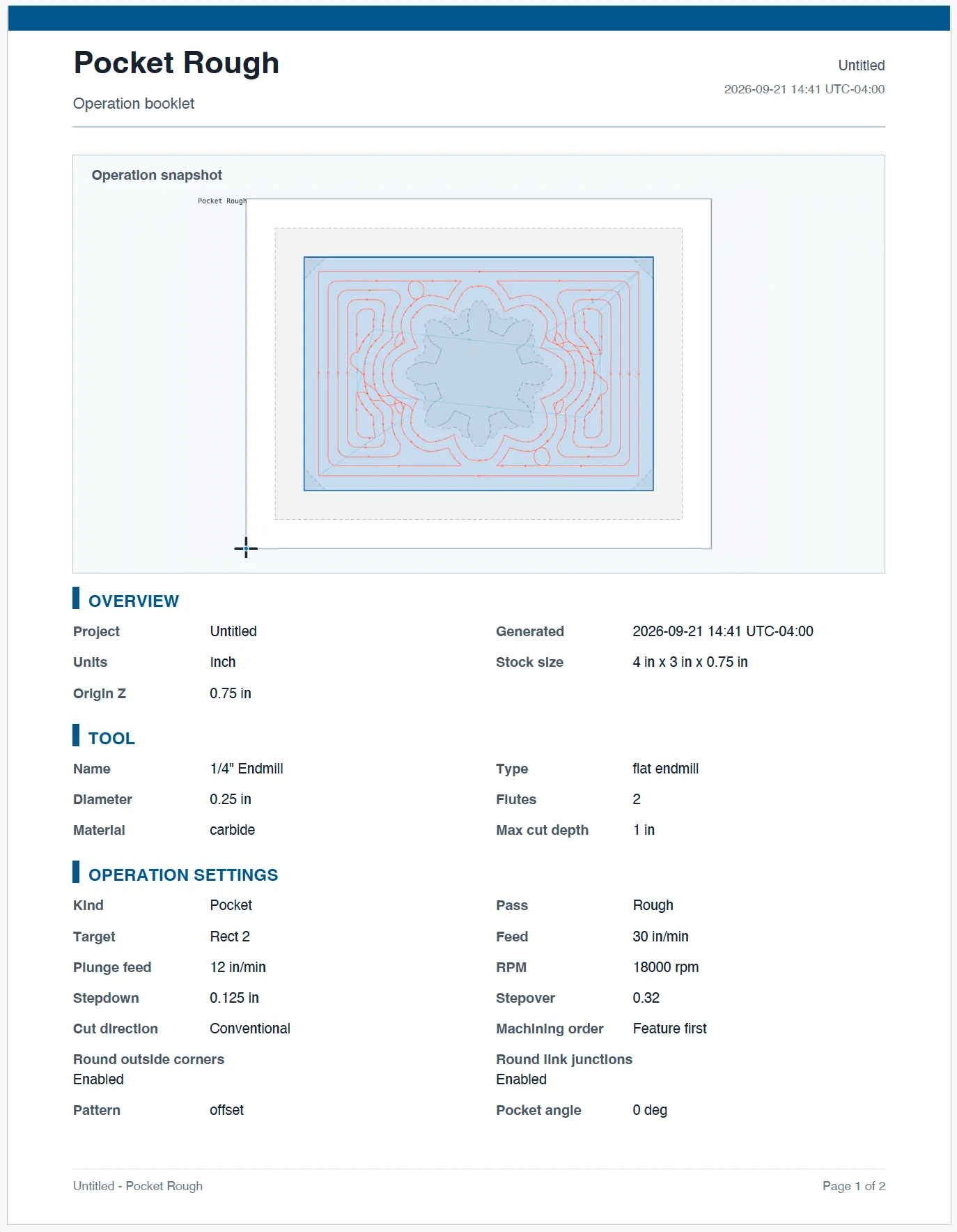
Section titled “Contents”The PDF is built from one captured revision. It includes the selected operation’s setup information, tool, parameter rows, toolpath summary, and preview image. Dense toolpaths in the overview picture are simplified in the same way as the canvas preview. The booklet’s move counts, times, and bounds still come from the full toolpath. The output uses the current interface language where localized text is available.
Sample booklet
Section titled “Sample booklet”Download the Pocket Rough sample booklet (PDF). It shows the finished first page of a booklet, including the operation snapshot, tool details, and operation settings.
Related pages
Section titled “Related pages”- Working with operations: select and inspect an operation in the CAM panel.
- Exporting G-code: produce the program that a controller runs.